 It is finshed by ROEHSOFT RAM Expander.It is the main part of Expanding RAM
  The method is very simple and really effective and can increase your RAM to great extent with boosting up your android device. The method works perfectly on rooted android device. And a third party application that will swiping up the memory card memory with your android Ram To [big]Increase RAM[/big]
 Just follow up the below steps to proceed:- 1.First of all you need a rooted android device.By Framaroot,Towelroot or Kingroot.

2.Now you need a third party app Roehsoft Ram Expander that you can get paid from
Black Mart Alpha 3.Now launch the app and you will firstly grant the app superuser access. 4.Now create a swipe file for your device there by selecting the memory size you want to set.

5.Now active the swap file by click on swap activ button there.

6.Thats it you are done, now you RAM gets increased and the device speed be boosted.
So above is all about How To Increase RAM in Android Phone. With this method you will be easily boosting up your android device and the method is too simple that a non technical person can also easily implement this in their devices. Hope you like the article, don’t forget to share it with other too and leave a comment below if you facing any problem at any step above.
 . Free Download DiskDigger Pro (root) APK v1.0 pro Android 2.2 and up . For rooted devices only!DiskDigger can undelete and recover lost photos, documents, videos, music, and more from your memory card or internal memory (see supported file types below). Whether you accidentally deleted a file, or even reformatted your memory card, DiskDigger's powerful data recovery features can find your lost files and let you restore them, send them to an email account, or upload them to an FTP server. . . Again, this app is for rooted devices only! This is also a work-in-progress app (and not nearly as powerful as the original DiskDigger for Windows), so all constructive feedback and requests for features are welcome! .
 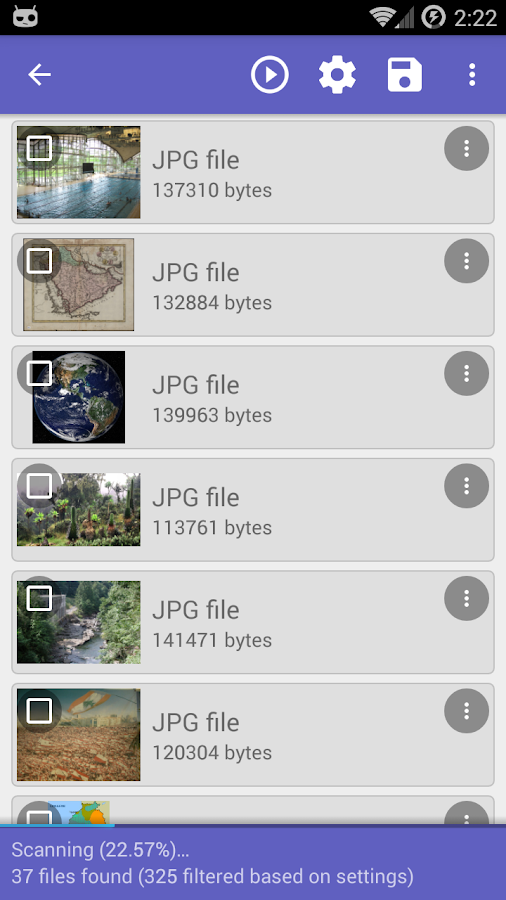 . DiskDigger recovers the following file types: JPG, PNG, MP4 / M4A / 3GP / MOV, GIF, MP3, AMR, WAV, TIF, CR2, SR2, NEF, DCR, PEF, DNG, ORF, DOC / DOCX, XLS / XLSX, PPT / PPTX, PDF, XPS, ODT / ODS / ODP / ODG, ZIP, APK, EPUB. . What's New - Added support for recovering .SNB files (exported S-Note files) - Updated SDK and AppCompat library. Download-Disk Digger Pro Posted by Me Contact Me:8862988970

 . . .
. . .
 3.Now save this file asLogs.batin your desktop.


 Download It From Here:-
  Now wait for get activated Once done, you will start receiving activity notifications. You can explore settings and set the notification tones and other options. You can find the calender button atop of this application that has the history of activities. That’s all.

 Framaroot Download Link-
 3rd Step:Reboot your Device And You're Done..
  Towelroot It can root Kitkat Version (4.4.2 -4.4.4}
  Towelroot Download Link-
 Step3:And You've Done... *Kingroot it can root Lollipop [5.0.1-5.1.1] Download Link-
 Step3:Data Connection must be Enabled and its dene..